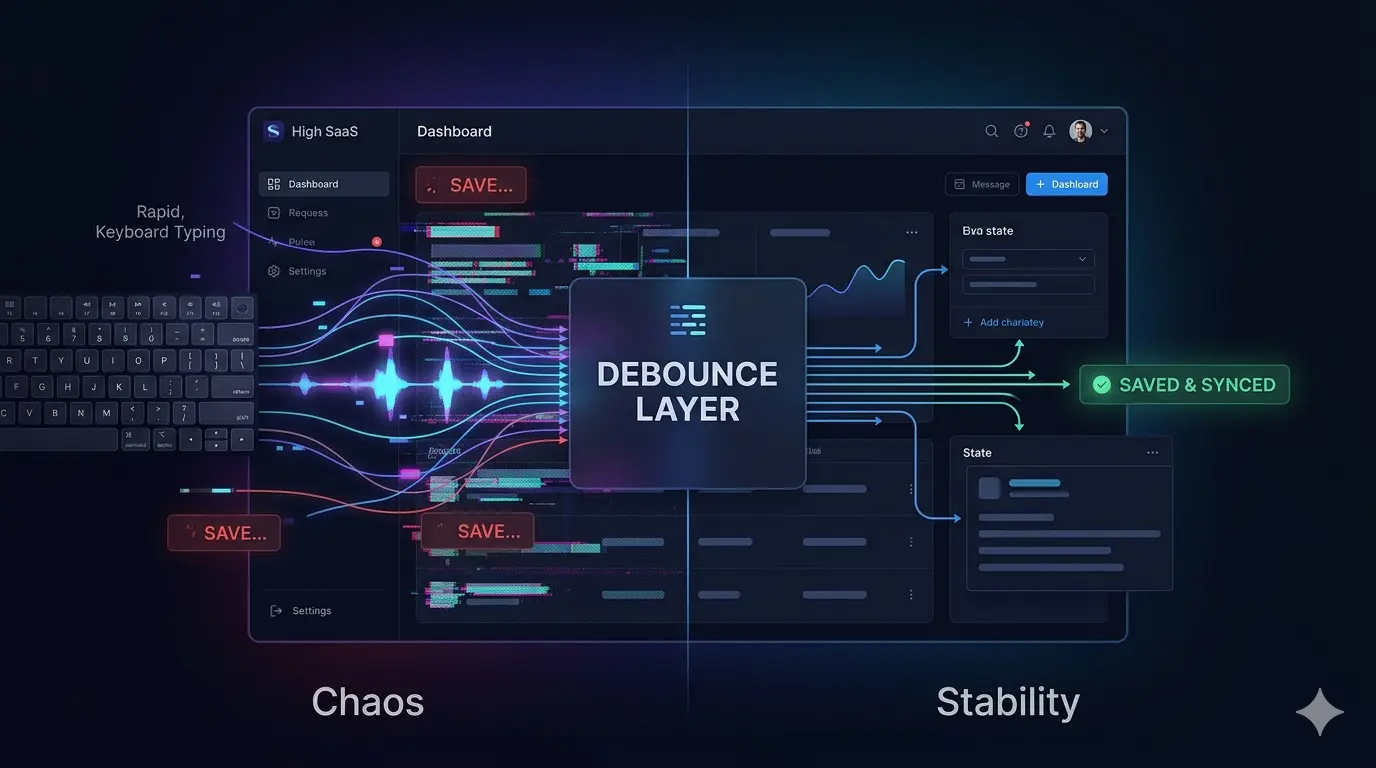

Debounce Is Not Just About Performance — It Also Saves Your UX and State Management
For a long time, I used to think of debounce as just a small optimization trick.
Something to reduce API calls.
Something to make the backend a little happier.
But the first time we implemented a real autosave system in production, I realized debounce is much more than that.
It can actually become part of your state management and UX architecture.
The Problem Started When We Made Everything Realtime
Our first autosave implementation was extremely straightforward.
Every single change the user made was immediately saved.
So basically:
User types one character
API request gets sent
User types again
Another request
Repeat forever
At first, it felt great.
Everything looked realtime.
But in practice, the system started creating problems very quickly.
What Went Wrong?
1. Request Explosion
Within seconds, we had tons of requests firing continuously.
Not only did this create unnecessary backend pressure, but the network was constantly busy doing work that mostly didn’t matter.
2. Race Conditions
This was the real issue.
Imagine this sequence:
State A gets saved
User quickly updates to State B
Request B finishes first
Then the older request for A finishes later
Now the backend accidentally overwrites the newest state with older data.
From the user's perspective, everything looked updated correctly.
But the server was actually holding stale data.
That was the moment we realized autosave is not just about storing data.
It’s about keeping state synchronized correctly.
3. Nervous UX
When the UI constantly switches between saving states:
Loaders flash repeatedly
Save indicators keep changing
The interface feels jittery
Users start feeling the app is unstable
Even if everything is technically working, the experience still feels stressful.
Redesigning Autosave with Debounce
Instead of saving every tiny interaction, we decided to wait until the user's behavior settled a bit.
The implementation itself was simple:
if (saveTimer) clearTimeout(saveTimer);

saveTimer = setTimeout(() => {
  executeSave();
}, 600);
The idea is straightforward:
As long as the user is still typing, don’t save anything yet.
Only persist the latest state once the interaction pauses for a short time.
The Interesting Part Wasn't Performance
This is what surprised me the most.
Debounce didn’t just reduce requests.
It also:
Reduced race conditions dramatically
Improved state consistency
Made the UI feel calmer
Reduced unnecessary writes
Made the whole system behave more naturally
And most importantly:
Users stopped feeling like the system was fighting them.
Debounce Is Basically Intent Detection
Later, I started thinking about debounce differently.
It’s almost like the system waits for the user’s actual intention to become clear.
While someone is still typing, they haven’t really finished their thought yet.
Saving every temporary state doesn’t actually make much sense.
Debounce helps the system react to meaningful states instead of reacting to every microscopic interaction.
But Debounce Alone Eventually Stops Being Enough
As the product became more complex, debounce alone wasn't sufficient anymore.
We eventually had to add other layers too.
Request Cancellation
When a new save starts, older requests should be canceled.
For example:
controller.abort();
Versioning
Each save operation started carrying a timestamp/version so older responses could never overwrite newer state.
Optimistic UI
Instead of waiting for the save request to finish, the UI immediately assumed success to keep interactions smooth.
Background Sync
In some cases, we even separated synchronization logic from direct UI interactions so the interface could stay responsive under heavy activity.
What This Experience Taught Me
A lot of patterns that initially look like small optimizations eventually become architectural decisions at scale.
Debounce is one of them.
On the surface, it’s only a few lines of code.
But in real products, it helps:
Control state flow
Prevent data inconsistency
Stabilize UX
Reduce unnecessary system pressure
Make interactions feel more human
Most users will never notice debounce itself.
But they absolutely notice when a product feels calm, reliable, and polished.
And surprisingly often, that feeling comes from tiny implementation details like this.